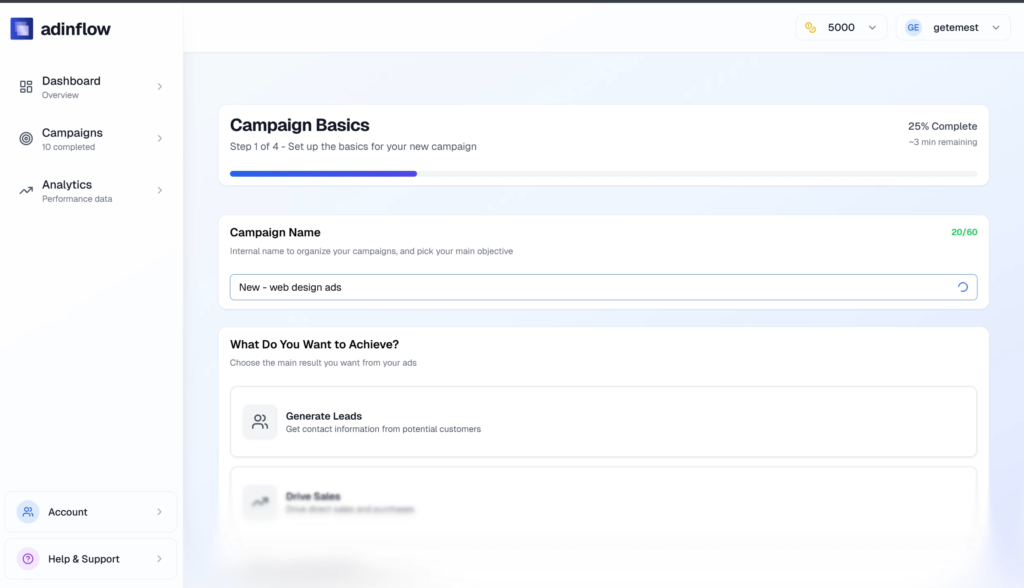
Adinflow v1.1 is a practical update focused on what Google Ads advertisers actually need in 2026: clear analytics, actionable insights, and faster ad creation.
This release is not about hype. It’s about helping marketers understand what’s working, what’s wasting budget, and what to fix — directly inside one google ads ai tool.
Below is a clear walkthrough of what’s new, how it works, and how you can use it right away.
What Adinflow v1.1 Is Designed For
Adinflow v1.1 is an incremental but important step toward a fully automated ai for google ads workflow.
The update is especially useful if you:
-
Manage multiple search engine ads campaigns
-
Run google ads for small business or e-commerce
-
Work as a freelancer or agency handling google adwords management
-
Want AI recommendations you can actually act on
The focus of this release is visibility + decisions, not just generation.
New Analytics Engine: See What Works, What Fails, and Why
The biggest update in Adinflow v1.1 is the new analytics layer. It automatically analyzes your Google Ads data and translates it into clear insights.
Core Metrics You Can Analyze Instantly
Inside the dashboard, Adinflow now reviews:
-
CTR and click quality
-
Clicks, conversions, and conversion cost
-
Keyword-level performance
-
Age, gender, and location splits
-
Search patterns and query intent
-
Campaign performance vs planned targets
This is where google ads ai becomes practical — not just reporting, but interpretation.
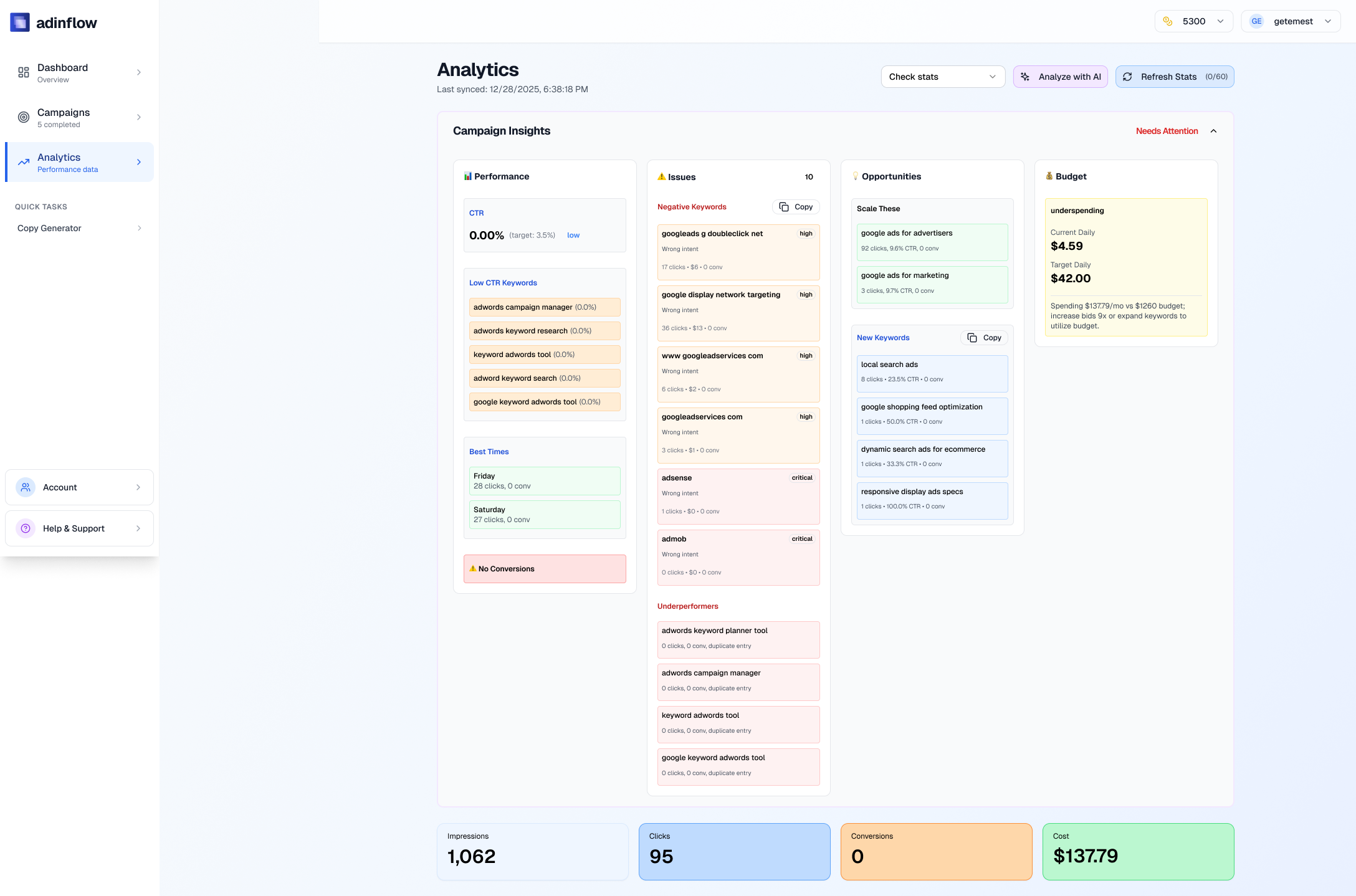
CTR Quality Analysis (Not Just Numbers)
Adinflow doesn’t just show CTR. It evaluates how good your CTR actually is based on:
-
Keyword intent
-
Ad relevance
-
Industry benchmarks
If a keyword has clicks but poor engagement or no conversions, the system flags it and explains why.
This helps advertisers avoid the common mistake of scaling traffic that looks good but doesn’t convert.
Underperformers: What to Fix or Remove
One of the most useful features in v1.1 is Underperformers detection.
Adinflow automatically:
-
Lists keywords with weak CTR or zero conversions
-
Highlights ads wasting spend
-
Suggests whether to optimize, pause, or remove
Each recommendation comes with context, not generic advice. This is especially valuable for teams using ads tools across many campaigns.
Smart Negative Keyword Suggestions (With Reasons)
Adinflow now generates a negative keyword list, with explanations.
For each suggested minus word, you see:
-
Why it’s hurting performance
-
What queries triggered it
-
How it affects CTR or conversions
This saves hours of manual query reviews and is one of the strongest applications of ai in digital marketing inside the platform.
Opportunities: What to Scale and Why
The new Opportunities section shows:
-
Keywords that outperform expectations
-
New keyword ideas discovered through search patterns
-
Areas where budget scaling makes sense
This turns Adinflow into more than an ad generator ai — it becomes a growth assistant for google ads for business.
Performance vs Plan: Are You On Track?
Adinflow v1.1 compares real results against your planned targets:
-
Expected CTR
-
Planned CPA
-
Conversion goals
If something is off, the system flags it clearly. This helps advertisers stay aligned with strategy, not just react to daily fluctuations.
New AI Ad Text Generator (Fast Testing Tool)
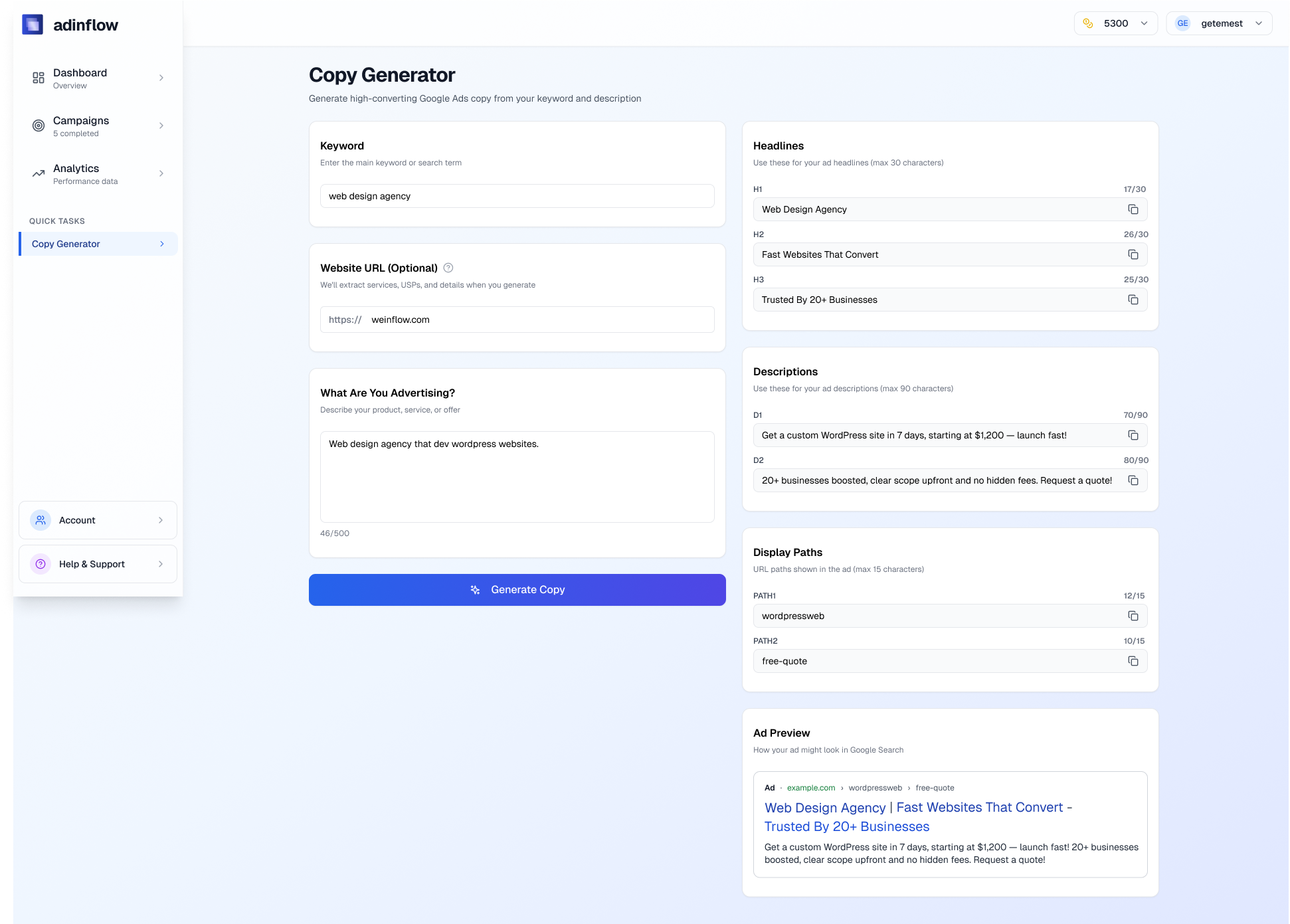
The second major update is a lightweight but powerful ai ads generator.
You can now generate search ads using:
-
A keyword
-
A website URL
-
A short description of your offer
The tool instantly creates:
-
Headlines
-
Descriptions
-
Display paths
This is perfect for:
-
Quick A/B testing
-
Drafting ideas before manual edits
-
Exploring messaging angles
It’s not meant to replace strategy — it helps you move faster when building google ads search ads.
How This Fits Into the Adinflow Workflow
Adinflow v1.1 connects generation and optimization in one loop:
-
Generate campaigns and ad copy
-
Launch to Google Ads
-
Analyze performance inside Adinflow
-
Fix underperformers
-
Scale what works
This is what modern marketing ai should look like — one system, not scattered tools.
If you want a deeper overview of how AI improves Google Ads workflows, see:
https://blog.adinflow.com/ai-for-google-ads/
Who Benefits Most From This Update
-
Small business owners who need clarity without dashboards overload
-
Agencies managing multiple advertisers
-
E-commerce brands optimizing search engine ads at scale
-
Google Ads specialists who want actionable insights, not just reports
For more context on using AI in Google Ads as a marketer, read:
https://blog.adinflow.com/google-ads-ai-tool-for-marketers/
Why This Matters in 2026 Google Ads
Google Ads is increasingly automated, but insights are still fragmented.
Adinflow v1.1 closes the gap by turning raw data into decisions — something generic ai generation tools don’t do well.
This update positions Adinflow as a true google ads ai tool, not just an ai content generator.
For official Google guidance on performance analysis, see:
https://support.google.com/google-ads/answer/6167122
Try Adinflow v1.1 Free
If you want to:
-
Understand what’s working
-
Fix what’s wasting budget
-
Test ad copy faster
Start a free trial and explore Adinflow v1.1 yourself:
👉 www.adinflow.com