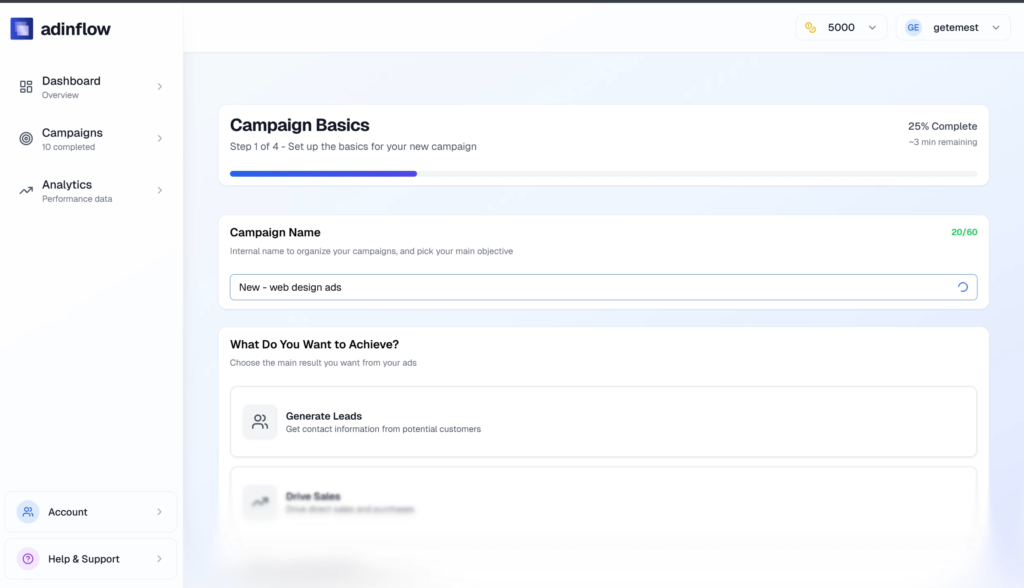
If you’re running Google Ads, you already know this truth: launching campaigns is easy. Getting results is not.
Most budgets don’t disappear because of bad keywords. They leak through broken tracking, slow landing pages, missing privacy policies, or pages that simply aren’t ready for paid traffic.

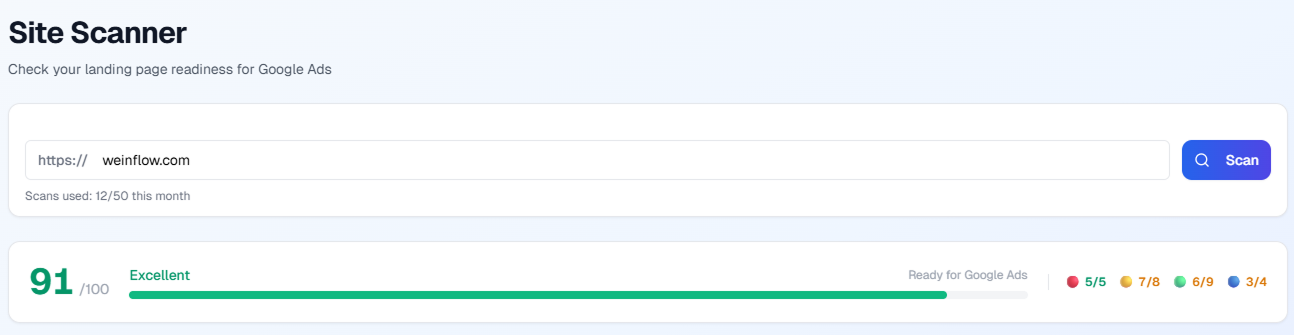
That’s why we’ve launched Site Scanner inside Add-in Flow — a fast, automated landing page audit for Google Ads that checks 26 critical elements in 10–15 seconds and gives you a clear 0–100 readiness score.
And for Pro and Scale users? We’ve added something even more powerful: a monthly Expert Landing Page Audit — a real, written review from a human specialist.
Let’s break it down.
Why Landing Page Readiness Matters for Google Ads
You can build a campaign structure in minutes. You can generate ad copy with AI. You can launch traffic the same day.
But if your landing page has:
No conversion tracking
Broken GCLID handling
Slow mobile performance
Missing consent mode
Weak content relevance
Your campaign data becomes unreliable. Your Quality Score drops. Your cost per click increases. And worst of all — you don’t even know what’s actually working.
In Google’s own documentation, landing page experience is a core part of Quality Score and ad performance (see: https://support.google.com/google-ads/answer/6167122).
So before you spend another dollar on traffic, the real question is:
Is your website actually ready for Google Ads?
Now you can answer that in 15 seconds.
What Is Site Scanner?
Site Scanner is a built-in tool inside Add-in Flow that instantly audits your landing page for Google Ads readiness.
You can find it here:
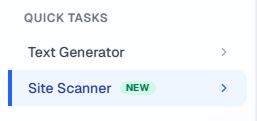
Dashboard → Quick Tasks → Site Scanner
How it works:
Paste your landing page URL
Click Scan
Wait 10–15 seconds
Get a full report with:
Overall score (0–100)
26 individual checks
Clear recommendations
It’s not just a checklist. It’s a fast diagnosis before you launch traffic.
How Site Scanner Works (Step-by-Step)
Step 1: Enter Your URL
Add the exact landing page you plan to send traffic to — not just your homepage.
Step 2: Click “Scan”
No configuration needed. No integrations required.
Step 3: Automated Analysis (10–15 seconds)
The system runs 26 technical, tracking, and quality checks in the background.
Step 4: Get Your Report
You receive:
Overall readiness score (0–100)
Category breakdown
Clear pass/fail signals
Actionable improvement suggestions
You instantly see what’s blocking performance.
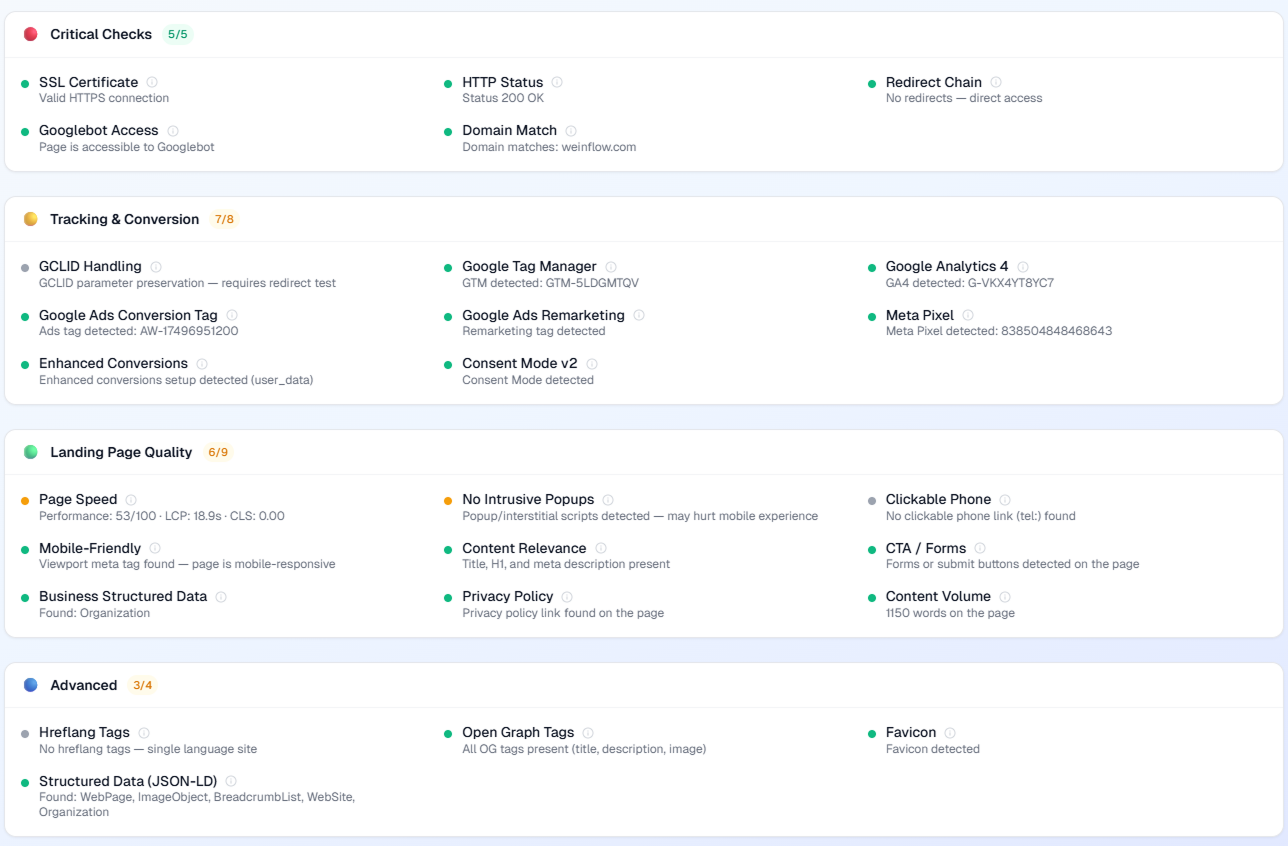
What Site Scanner Checks (26 Signals Across 4 Categories)
This is where the real value lives.
1️⃣ Critical Checks (Blockers)
These are issues that can damage ad delivery or performance:
SSL / HTTPS
HTTP status (200 OK)
Redirect behavior
Googlebot accessibility
Domain consistency
Indexing visibility
If something fails here, fix it first. These are structural foundations.
2️⃣ Tracking & Conversion Setup
This is the most common failure area.
Site Scanner checks:
Google Tag Manager (GTM)
GA4 installation
Google Ads conversion tag
Remarketing tag
Meta Pixel
Enhanced conversions
Consent Mode v2 (important for EU traffic)
GCLID / click ID handling
If conversion tracking isn’t installed correctly, you’re flying blind.
No tracking = no optimization.
3️⃣ Landing Page Quality (Quality Score Factors)
These factors affect CPC and conversion performance:
Page speed / Core Web Vitals
Mobile-friendliness
Title & H1 relevance
Meta description presence
Clear CTA and forms
Click-to-call links
Structured data
Privacy policy presence (Google Ads requirement)
Content depth
Intrusive popups
This directly impacts:
Quality Score
Cost per click
Conversion rate
A slow or weak page doesn’t just reduce conversions — it makes your ads more expensive.
4️⃣ Advanced Technical Signals
These improve compatibility and scalability:
Open Graph tags
Favicon
JSON-LD schema
hreflang setup
These aren’t always blockers — but they improve overall marketing infrastructure.
How the Score Is Calculated (0–100)
Each category has weighted importance:
Critical checks — highest priority
Tracking & Conversion — very high
Landing page quality — high
Advanced — moderate
Here’s how to read your score:
| Score | Meaning | What to Do |
|---|---|---|
| 90–100 | Ready for traffic | Launch confidently |
| 70–89 | Minor issues | Fix tracking or speed |
| 50–69 | Risky | Improve quality + conversion setup |
| 0–49 | Not ready | Fix blockers before running ads |
If your score is below 70, focus first on:
Critical errors
Conversion tag installation
Mobile performance
Page speed
These usually have the biggest impact.
What to Do If Your Score Is Low (Quick Playbook)
Just press button “How to fix”
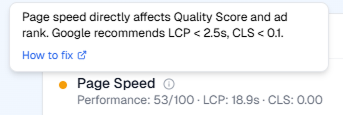
or
Here are the 5 most common fixes:
1️⃣ Enable HTTPS
If your page isn’t secure, fix this immediately. Google prefers secure destinations.
2️⃣ Install Conversion Tracking
Make sure:
Google Ads conversion tag fires correctly
GA4 events are configured
GCLID is not lost during redirects
This alone can dramatically improve optimization quality.
3️⃣ Improve Page Speed
Focus on:
Image compression
Reducing JS load
Improving mobile rendering
Better speed often improves conversion rate noticeably.
4️⃣ Add a Privacy Policy
Google Ads requires transparency. Add:
Privacy policy
Terms
Cookie consent (especially for EU traffic)
5️⃣ Optimize for Mobile
Most traffic is mobile.
If your CTA button is hard to tap, you’re losing money.
Who Is Site Scanner For?
Small Business Owners
Quickly verify your landing page before spending money on traffic.
Performance Marketers
Validate tracking. Prevent data loss. Improve Quality Score.
Agencies
Run fast audits before launching client campaigns. Reduce onboarding mistakes.
Plans & Availability
Site Scanner is available across plans with usage limits.
| Plan | Site Scanner Access | Monthly Limit | Expert Audit |
|---|---|---|---|
| Free | Yes | Limited | No |
| Launch | Yes | Standard | No |
| Pro | Yes | Higher | 1 audit/month |
| Scale | Yes | Highest | 5 audits/month |
Which Plan Is Right for You?
Launch — great for starting advertisers
Pro — ideal for ongoing campaign management
Scale — built for agencies and multi-account teams
NEW: Expert Landing Page Audit (Pro & Scale)
Automation is powerful.
But sometimes you need a human eye.
Pro and Scale plans now include a monthly Expert Landing Page Audit.
What you get:
Manual review by a specialist
Written recommendations
5–7 prioritized fixes
Clear explanation of impact
Optional discounted implementation support
No calls required. No long contracts.
Just practical, written feedback.
Pro: 1 audit per month
Scale: 5 audits per month
To request:
Submit your URL via support or reply directly with the page you want reviewed.
Important:
Recommendations are guidance only, and results may vary. No guarantees of specific performance outcomes. See our Terms for details.
Frequently Asked Questions
Does Site Scanner cost coins?
No. It’s included within your plan limits.
How fast is the scan?
Usually 10–15 seconds.
Can I scan any URL?
Yes, as long as it’s publicly accessible.
Why does it say “No conversion tag”?
It means the Google Ads conversion script was not detected on the page.
Can I rescan after fixing issues?
Yes. You can scan again to see improvements reflected in your score.
Will Google reject ads because of slow speed?
Not necessarily. But slow pages can affect Quality Score and conversion performance.
Final Thoughts
Most advertisers obsess over keywords.
But real performance starts with infrastructure.
Before you launch traffic, make sure:
Your tracking works
Your landing page is optimized
Your site meets Google Ads requirements
Site Scanner gives you instant clarity.
And if you want expert feedback every month — Pro and Scale include manual audits to help you continuously improve.
👉 Open Quick Tasks → Site Scanner and scan your landing page now.
👉 Upgrade to Pro or Scale for monthly expert reviews.
Don’t send traffic to a page that isn’t ready.