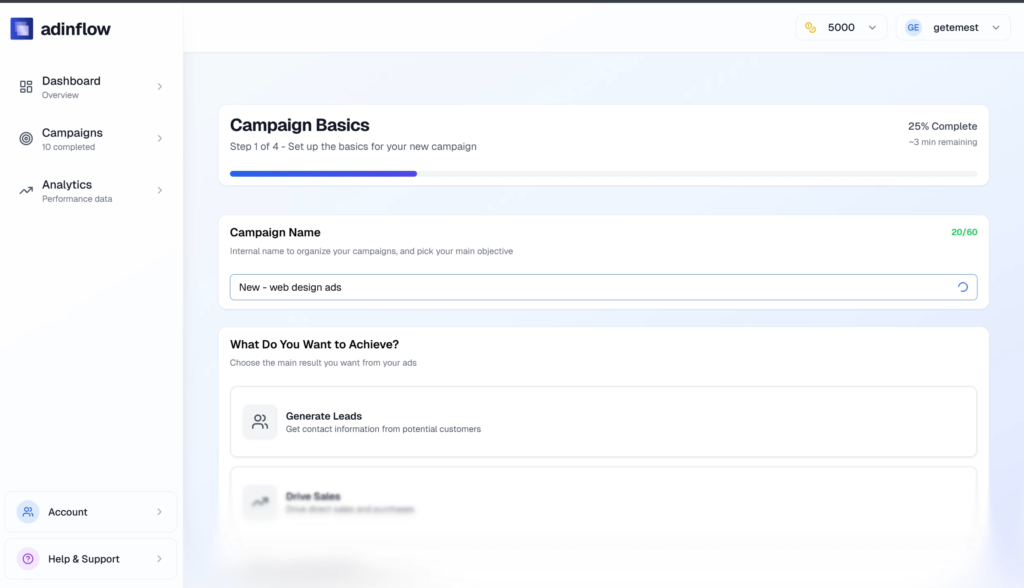
Running Google Ads in 2026 looks simple from the outside — until you actually try to launch a campaign that converts. Strategy, keywords, ad copy, structure, budgets, policies… every step matters. That’s exactly why AI for Google Ads has moved from “nice-to-have” to a core growth tool for modern advertisers.
This article breaks down how AI for Google Ads works end to end — from analyzing your website to launching a live, conversion-ready campaign — and why an integrated workflow beats scattered AI tools every time.
Why AI for Google Ads matters now
Google Ads has become more automated, more competitive, and more unforgiving.
Manual setups still work — but they’re slow, error-prone, and hard to scale. At the same time, generic AI tools can generate ad copy, but they don’t understand:
-
Your business model
-
Your funnel and ICP
-
Google Ads structure and policies
-
Budget logic and bidding intent
That gap is where AI for Google Ads becomes powerful: not as a copy generator, but as a campaign-building system.
What “AI for Google Ads” actually means (and what it doesn’t)
Let’s clear up a common misconception.
AI for Google Ads is not:
-
A single prompt that spits out headlines
-
A free content generator with no ad logic
-
A black box that “optimizes later”
Real AI for Google Ads handles the full workflow:
-
Market and website analysis
-
Keyword research mapped to intent
-
Campaign and ad group structure
-
Conversion-focused ad copy
-
Budget distribution
-
Policy compliance
-
Export and launch
Anything less is just an AI content generator pretending to be an ads tool.
From website to campaign: the one-workflow approach
1. Website and offer analysis
The workflow starts with your website — not with keywords.
AI scans:
-
Value proposition
-
Product positioning
-
Pricing and offers
-
Target audience signals
-
Conversion paths
This replaces hours of manual research and ensures ads match what users actually see after the click.
2. Intent-driven keyword research
Instead of dumping thousands of keywords, AI for Google Ads clusters keywords by:
-
Search intent
-
Funnel stage
-
Commercial value
You get structured keyword sets ready for search engine ads, not raw lists that need cleanup.
This is where tools like a traditional google ads keyword tool stop — and campaign intelligence begins.
3. Smart campaign & ad group structure
High-performing Google Ads accounts follow strict structure rules.
AI builds:
-
Logical campaign segmentation
-
Clean ad groups with tight relevance
-
Keyword-to-ad alignment
This structure directly improves:
-
Quality Score
-
CPC efficiency
-
Conversion rate
If you’ve ever managed google adwords management manually, you know how much time this saves.
4. Conversion-focused ad copy generation
This is where most AI tools overpromise — and underdeliver.
Effective AI for Google Ads generates:
-
Headlines mapped to keyword intent
-
Descriptions aligned with landing pages
-
Paths and assets optimized for CTR
-
Variants that respect Google Ads policies
Not generic AI ads — but ads that can actually go live.
You can dive deeper into this approach in
👉 https://blog.adinflow.com/ai-ads-generator-google/
5. Budget distribution that makes sense
Budget mistakes kill campaigns fast.
AI allocates budgets based on:
-
Keyword competitiveness
-
Funnel priority
-
Expected conversion value
Instead of “set it and pray,” you start with a data-backed baseline.
6. Policy compliance built-in
Disapproved ads slow everything down.
AI for Google Ads checks:
-
Restricted claims
-
Formatting rules
-
Editorial policies
This reduces rejected ads before they ever hit your account — a big win for agencies and busy founders.
7. One-click launch to Google Ads
Once everything is ready, the campaign is exported directly into your Google Ads account or as a CSV.
No rebuilding.
No copy-paste errors.
No missing assets.
That’s the difference between “AI-generated content” and an actual google ads ai tool.
Who benefits most from AI for Google Ads
AI for Google Ads isn’t just for beginners.
It’s especially valuable for:
-
Small business owners launching their first campaigns
-
Agencies scaling multiple client accounts
-
E-commerce brands testing new categories fast
-
Freelancers & Google Ads specialists who value speed without sacrificing quality
If you run google ads for business or manage google ads for small business, this workflow removes friction at every step.
Why integrated AI beats patchwork tools
Using separate tools for:
-
Keyword research
-
Ad copy
-
Structure
-
Budget planning
creates gaps — and gaps cost money.
An integrated AI workflow:
-
Keeps strategy consistent
-
Aligns ads with landing pages
-
Reduces setup time by 80–90%
-
Improves launch quality from day one
For a deeper look at how this fits into modern marketing AI, see:
👉 https://blog.adinflow.com/ai-for-google-ads/
👉 https://blog.adinflow.com/google-ads-ai-tool-for-marketers/
How Adinflow fits into this workflow
Adinflow was built specifically for AI for Google Ads, not adapted later.
It generates:
-
Full campaign strategy
-
Structured ad groups
-
Conversion-focused ad copy
-
Smart budget allocation
-
Policy-compliant assets
-
One-click export to Google Ads
-
Campaign analytics and management in one interface
You don’t need prompts.
You don’t need manual fixes.
You don’t need five different tools.
Start faster without lowering quality
If you want to:
-
Launch Google Ads faster
-
Avoid structural mistakes
-
Compete with bigger advertisers
-
Spend more time optimizing, less time building
AI for Google Ads isn’t optional anymore — it’s the baseline.
👉 Start your free trial here:
www.adinflow.com
Frequently Asked Questions
Is AI for Google Ads suitable for beginners?
Yes. AI handles structure and strategy, making it easier to launch without deep platform knowledge.
Can AI-generated ads really convert?
When ad copy is generated from keyword intent and landing page context, conversion rates are often higher than manual setups.
Does AI replace Google Ads specialists?
No. It removes manual work so specialists can focus on optimization and growth.
Is this better than using ChatGPT for ads?
ChatGPT can help with ideas. AI for Google Ads builds complete, launch-ready campaigns.
Can I edit campaigns after generation?
Yes. You stay in full control before exporting or launching.
Does AI follow Google Ads policies?
Good tools do. Built-in compliance checks reduce disapprovals.
Conclusion
AI for Google Ads isn’t about automation for automation’s sake. It’s about building better campaigns, faster, with fewer mistakes and more consistency.
From website analysis to live campaigns, a single AI-driven workflow is now the most efficient way to advertise on Google.
If you want that workflow without complexity, Adinflow is built for exactly that.