Free Google Ad Copy Generator
Create Google Ads copy in minutes for free
Watch the walkthrough to see how fast Google Search ads can be built. Then use our free Google ad copy generator to generate responsive search ad assets — including Google Ads headlines and Google Ads descriptions — based on your URL and keyword.
How to use the free Google Ad Copy Generator
Add your Target URL
Enter a seed keyword
Get ad copy
Why Google Ads copy matters
Google Ads copy is what turns a search into a click. Your headlines and descriptions don’t just “sound good” — they must match intent, earn trust fast, and clearly explain why your offer is the best next step. Strong copy improves relevance, click-through rate, and the quality of the traffic you send to your landing page.
When your ad copy is generic, you pay for curious clicks that don’t convert. When your copy is specific and intent-driven, you attract people who are ready to act.
Search
↓
Keyword
↓
Ad group
↓
Ad Copy
↓
Landing page
How to use your keywords in Google Ads
A keyword belongs in your ads — but the goal is clarity and intent match, not repeating the same phrase. Use your keyword where it helps the user instantly recognize that your ad is the best result.
(H1/Headlines/Descriptions)
Use keywords in Headlines
Mirror intent in Descriptions
Keep ad groups tight
Add negatives early
Responsive Search Ads quick guide
Google Responsive Search Ads perform best when you give enough high-quality headline and description variations. Keep copy clear, policy-safe, and aligned to landing page intent.
Headlines (variety wins)
Generate multiple headline angles: intent match, value prop, proof, urgency, and CTA. Avoid repeating the same idea.
Descriptions (clarity + trust)
Use descriptions to explain benefits and reduce doubt: what’s included, who it’s for, why it’s credible, what to do next.
Pinning (use carefully)
Pin only when necessary (legal, brand, critical claim). Over-pinning reduces RSA flexibility and can limit learning.
Ad copy variations make campaigns easier to optimize
A single “perfect ad” is rare. What works is a structured set of variations: different headlines and descriptions for different intents. When you pair intent-based keyword clusters with copy that matches each cluster, campaigns become easier to read, improve, and scale.
Write different messages for different searches — pricing intent needs pricing clarity, comparison intent needs differentiation, and local intent needs availability and trust.
Mini example
Pricing angle: “Transparent Pricing” / “Plans & Costs” / “Get a Quote Today”
Comparison angle: “Best Alternative” / “Compare Features” / “Switch in Minutes”
Local angle: “Available in {City}” / “Same-Day Service” / “Book Now”
How to Use the Free Google Ad Copy Generator
Welcome to the Free Google Ad Copy Generator. This page is designed to help you create better Google Ads faster — without staring at a blank screen, rewriting the same headlines, or guessing what will get clicks. Google Ads gives you limited space to communicate value, so every headline and description needs to be clear, relevant, and aligned with what the searcher wants.
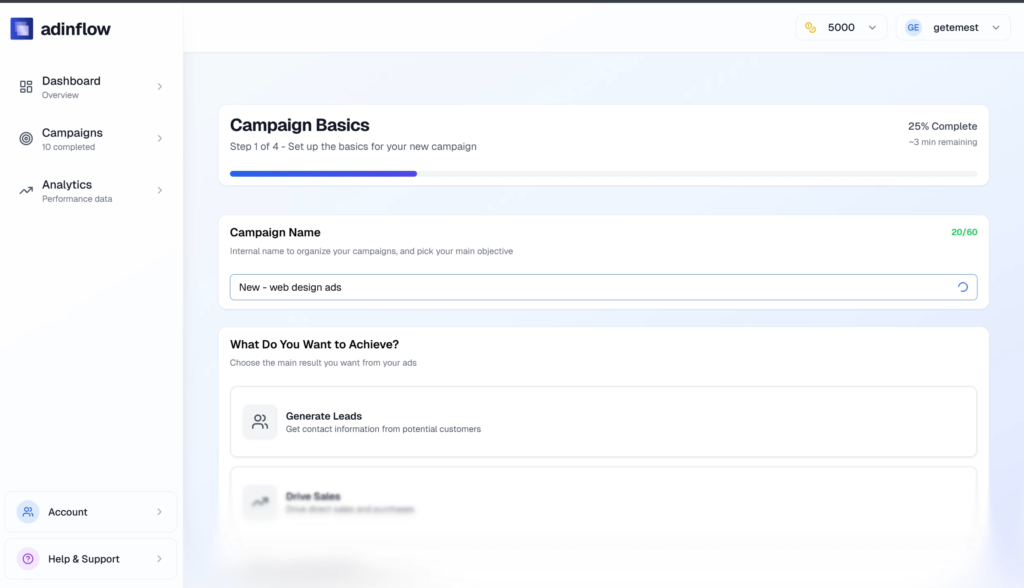
With this tool, you can generate a preview of responsive search ad assets — including Google Ads headlines and Google Ads descriptions — based on your Target URL and a keyword. If you want the full workflow (keyword groups, multiple ad variations, and a campaign-ready draft), you can generate a complete Google Search campaign inside Adinflow.
Why ad copy matters in Google Ads
Ad copy is the bridge between the search query and your landing page. When the copy matches intent, users feel like they found the right result. When it’s generic, users hesitate — or worse, click and bounce.
Good Google Ads copy does three things:
Matches intent quickly (the user sees their problem reflected in your headline)
Communicates value (what they get, why it’s better, why now)
Builds trust (proof, clarity, credibility, and a clear next step)
Even small improvements in relevance and clarity can increase click-through rate and improve the quality of traffic you send to your website.
Key functionalities
The main features of this Google ad copy generator include:
URL-based context
You provide a Target URL so the generator understands your offer and can produce more accurate messaging than a generic template.
Keyword incorporation
You provide a focus keyword and the generator uses it naturally in headlines and descriptions where it improves relevance.
Headlines and descriptions (RSA-ready)
You get multiple headline ideas and description options so you can build a responsive search ad with real variation.
Variation angles
Instead of rewriting the same message, you can generate different angles: pricing, speed, quality, outcomes, trust, urgency, and calls to action.
Preview now, expand in Adinflow
This page provides a quick starting point. For deeper generation and a campaign-ready structure, you can use the full workflow inside Adinflow.
How to use the tool
Enter your Target URL in the field
Enter your keyword (the main term you want to advertise)
Click “Generate ad copy” to get a preview of headlines and descriptions
Choose the assets that best match your brand voice and landing page
If you want more variations and a full campaign draft, continue inside Adinflow
Tips for better Google Ads headlines and descriptions
Keep headlines specific
A great headline usually contains the intent keyword or a close variation, plus a clear promise. Avoid vague lines that could fit any business.
Use a second headline to add value
If Headline 1 matches intent, Headline 2 should add a reason to click: pricing transparency, fast setup, trusted by teams, free trial, same-day service, etc.
Write descriptions to reduce doubt
Descriptions are where you clarify details and build trust. Mention what’s included, what happens next, and why the offer is credible.
Create multiple variations to test
Testing is not optional in PPC. Generate multiple angles and let performance decide. Often the “winner” is not what you expect.
Stay aligned with the landing page
If your ad promises pricing, your landing page should deliver pricing. If your ad promises a demo, the page should make the demo easy to request.
Frequently Asked Questions
Q: Is this a free Google ad copy generator?
A: Yes. You can generate a free preview of Google Ads headlines and descriptions on this page. Create an account to unlock more variations and a campaign-ready workflow inside Adinflow.
Q: Can this generate Google Ads headlines and descriptions?
A: Yes. The generator creates headline ideas and description options designed for Responsive Search Ads.
Q: What is the best keyword to enter?
A: Start with a high-intent keyword that matches what you sell (pricing, service, product category, “near me”, etc.). High-intent keywords usually produce the most conversion-ready copy angles.
Q: Will the generated ad copy sound natural?
A: It’s designed to be readable and intent-focused. You should still review and adjust to match your brand voice, legal requirements, and landing page specifics.
Q: How many variations should I test?
A: Start with several headline angles and multiple descriptions. Testing different value props (price, speed, trust, outcomes) is one of the fastest ways to improve performance.
Q: Can Adinflow build a full Google Search campaign, not just ad copy?
A: Yes. Inside Adinflow, you can generate a structured campaign draft from your website, keyword, location, and budget — including keyword groups and ads.
Q: Can I export the campaign to Google Ads?
A: Yes. Once your campaign draft is ready, you can export and test it in Google Ads.
Feedback
We’re improving the generator and the campaign workflow continuously. If you want more control (industry, offers, tone, competitor positioning, negatives, or landing-page-specific messaging), share feedback inside the app — it helps us make Adinflow more useful for real PPC work.