Google Ads shouldn’t feel like a gamble.
Yet for most businesses, launching a campaign still means hours of setup, guesswork around keywords, and weeks of paid “testing” before results appear.
A Google Ads generator changes that workflow completely.
Instead of manually building campaigns, guessing structure, or relying on generic recommendations, AI-powered tools now generate Google Ads campaigns end-to-end — from strategy to launch — in minutes.
This page isn’t about Google Ads theory.
It’s about tools. Specifically, how modern AI Google Ads generators work, who they’re for, and why they’ve become the fastest way to launch profitable campaigns without wasting budget.
Below, you’ll see how AI-powered Google Ads generators work — and how you can launch campaigns in minutes instead of days.
What Is a Google Ads Generator?
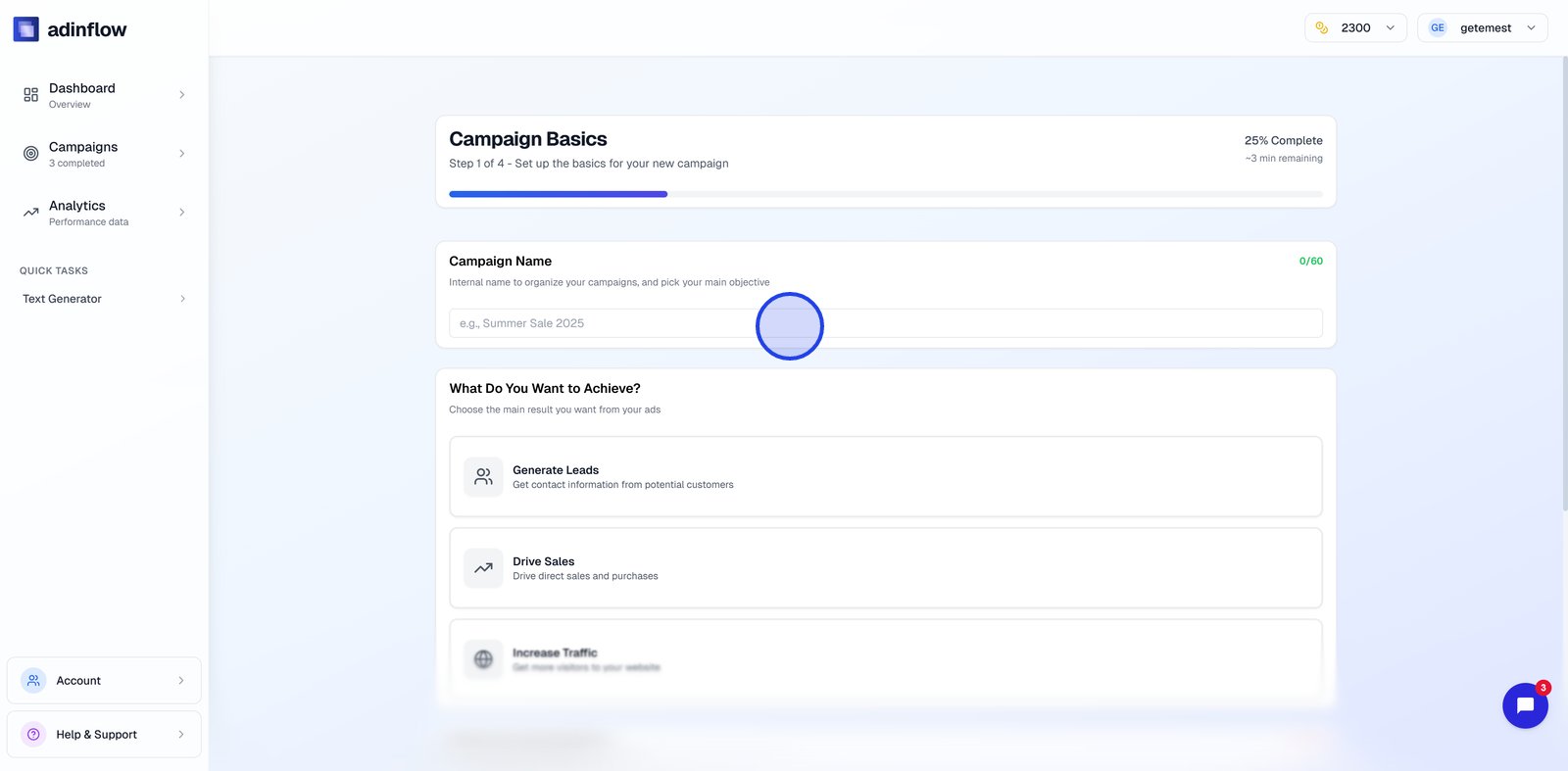
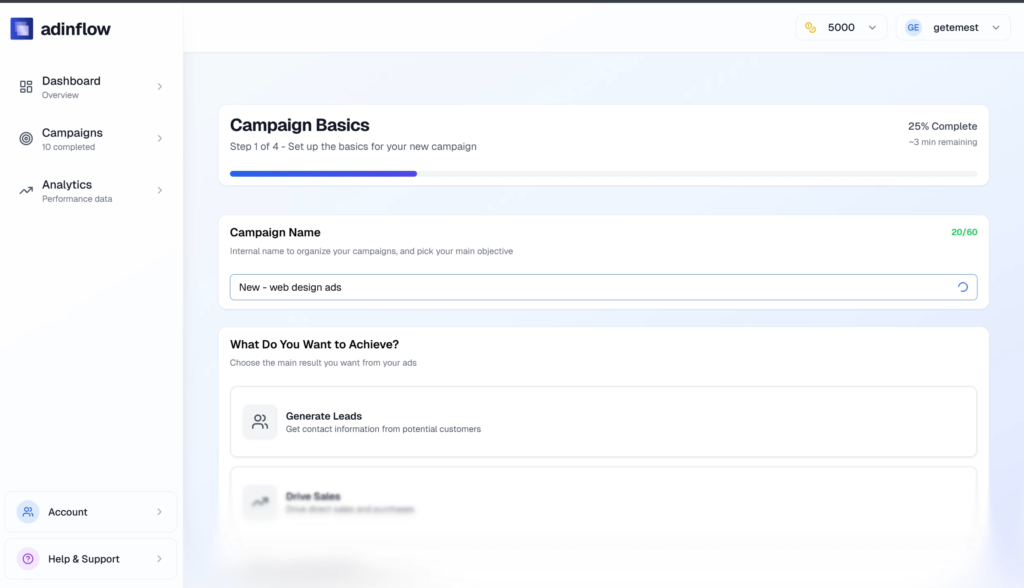
A Google Ads generator is a tool that automatically creates Google Ads campaigns based on your business data, goals, and market context.
Unlike templates or simple ad copy tools, an AI ads generator handles the entire campaign structure, including:
Campaign strategy
Keyword research and clustering
Ad group structure
Ad copy (headlines, descriptions, assets)
Budget allocation
Launch-ready configuration
This is fundamentally different from:
Static templates (same structure for everyone)
Google Ads recommendations (optimization hints, not campaign creation)
Chat-based tools (raw text output with no execution logic)
An AI Google Ads generator turns inputs like your website, product, location, and goals into a structured, launch-ready Google Ads campaign.
The intent is simple:
remove manual execution, not strategy.
How AI Google Ads Generators Work
Trust comes from understanding how a tool thinks.
Modern Google Ads campaign generators follow a clear, logical workflow.
Business & Market Analysis
The process starts with understanding your business context:
Product or service category
Target customer (ICP)
Geography and language
Commercial intent vs informational intent
Competitive density
This step replaces hours of manual research and ensures campaigns are aligned with how people actually search.
Keyword Clustering
Instead of dumping hundreds of keywords into one campaign, AI systems:
Group keywords by intent
Separate brand vs non-brand
Detect high-commercial vs exploratory searches
Build tightly themed clusters
This improves Quality Score and makes ads more relevant from day one.
Campaign & Ad Group Structure
Based on keyword logic, the generator creates:
Multiple campaigns (search, brand, competitor, etc.)
Clean ad group hierarchy
Logical naming conventions
Scalable structure for future growth
This is where most manual setups fail — and where AI excels.
Ad Copy Generation
The ads aren’t just “written.” They’re generated with intent alignment:
Headlines matched to keyword themes
Descriptions focused on conversion, not fluff
Paths and assets optimized for CTR
Policy-safe language built in
This goes far beyond a simple ads generator AI that only outputs text.
Budget Distribution
AI assigns budgets based on:
Keyword competitiveness
Expected conversion value
Funnel stage
Campaign priority
Instead of evenly spreading spend, budgets are allocated strategically.
Launch & Optimization
Advanced tools allow:
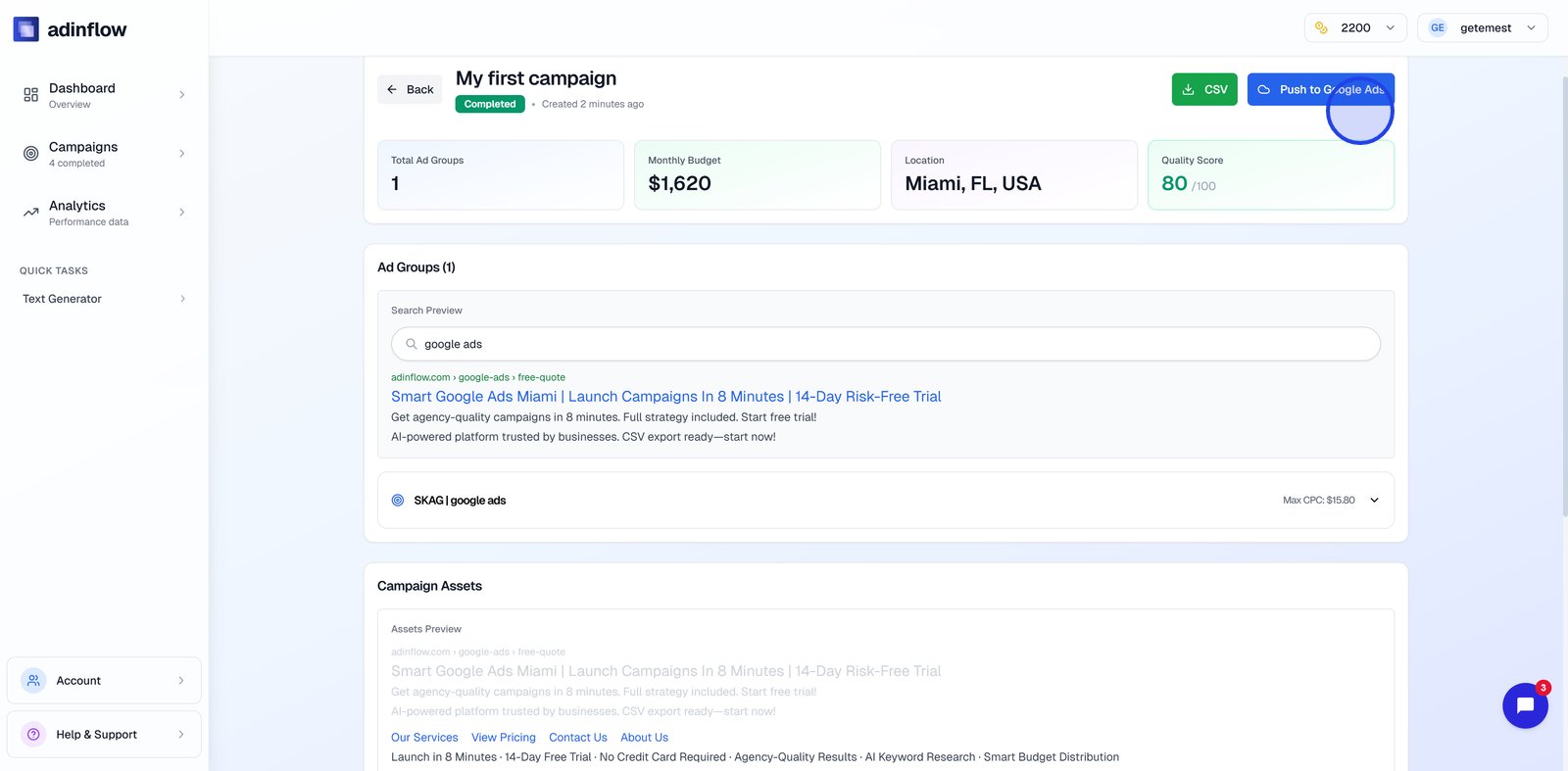
One-click export to Google Ads
CSV or direct account sync
Performance monitoring inside the platform
Ongoing optimization and iteration
The result: faster launches and cleaner data from the start.
Manual Google Ads vs AI Generator
Here’s how traditional setup compares to an AI Google Ads generator:
| Factor | Manual Google Ads | AI Google Ads Generator |
|---|---|---|
| Time to launch | Days or weeks | Minutes |
| Required expertise | High (PPC experience needed) | Low to medium |
| Risk of wasted spend | High during testing | Significantly reduced |
| Campaign structure | Depends on skill | Data-driven & consistent |
| Optimization speed | Manual & slow | Continuous & automated |
Key takeaway:
AI doesn’t replace strategy — it removes manual execution.
Who Should Use a Google Ads Generator?
This isn’t a niche tool. It’s designed for anyone who wants results without complexity.
Small Business Owners
No PPC background required
Launch ads without hiring an agency
Avoid wasting budget on trial-and-error
👉 Learn more about this use case in Google Ads for small business.
Founders & Startups
Validate demand fast
Test markets without long setup cycles
Focus on product, not ads configuration
Marketers Without PPC Specialization
Skip steep learning curves
Generate professional-grade campaigns
Control performance without deep technical work
Agencies & Freelancers
Speed up delivery
Standardize campaign quality
Use as a white-label backend
AI ads generators don’t remove control — they remove friction.
Common Mistakes with Google Ads Generators
Not all tools labeled “AI” are equal. Common issues include:
Only Writing Ad Copy
Many tools are just ad copy generators, not campaign builders.
They ignore keywords, structure, and budgets — which limits performance.
No Keyword Logic
If keywords aren’t clustered by intent, ads compete against themselves and budgets leak.
No Budget Intelligence
Even perfect ads fail if budgets are misallocated. Flat or random budgets are a red flag.
No Optimization Loop
Campaign creation is step one. Without feedback and iteration, performance stalls.
A real google ads campaign generator must handle setup + learning + optimization.
Adinflow: AI Google Ads Generator That Goes Beyond Setup
Adinflow was built by marketers who’ve managed real Google Ads budgets — not just AI prompts.
Instead of stitching together tools, Adinflow provides a single workflow:
Strategy & Keywords
Market and ICP analysis
Intent-based keyword research
Clean campaign segmentation
Smart Budget Tiers
Budgets aligned with commercial value
Prioritized spend where conversions matter
Scalable allocation as campaigns grow
One-Click Launch
Export directly to your Google Ads account
Or download a clean CSV
No manual rebuilding required
Ongoing Optimization & Analytics
Monitor performance inside Adinflow
Iterate campaigns with AI assistance
Improve results without living inside Google Ads
No Need to Log Into Google Ads
Everything from strategy to management happens in one interface.
For a deeper look at how this workflow operates, see
AI for Google Ads workflow and
AI Google Ads tool for marketers.
FAQ
Is AI Google Ads safe to use?
Yes. Modern AI Google Ads tools follow Google Ads policies and generate compliant ads and structures. Always review before launch, but AI significantly reduces policy risks.
Can I edit campaigns manually?
Absolutely. Campaigns generated by Adinflow can be edited, expanded, or customized inside Google Ads or via CSV.
Is this for beginners or experts?
Both. Beginners avoid costly mistakes, while experts save time on execution and focus on strategy and optimization.
Does it replace Google Ads completely?
No. It replaces manual setup and repetitive work — not strategic decision-making.
Final CTA
If you want to see how an AI Google Ads generator works end-to-end — from strategy to launch — you can try Adinflow here:
👉 Start a free trial:
adinflow.com
For broader context, explore our AI Google Ads hub:
https://blog.adinflow.com/ai-for-google-ads/